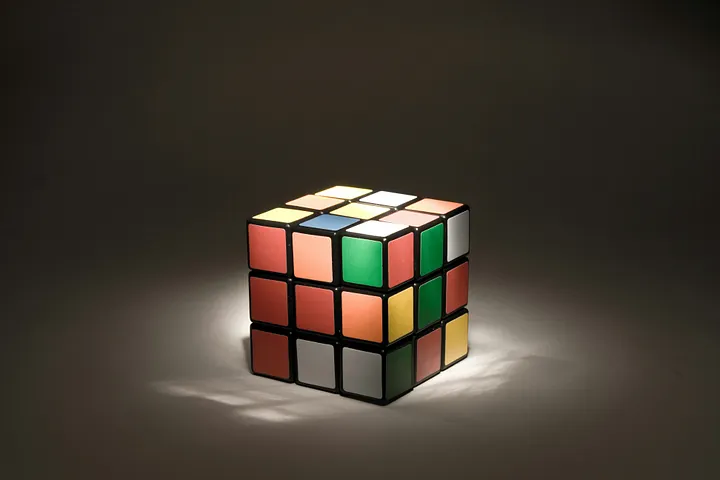
I built a computer vision system that detects and solves a Rubik's Cube in real time using YOLOv11 and OpenCV. This project combined object detection, color recognition, and algorithmic optimization, achieving over 80% detection confidence and computing solutions in under 20 moves. What if AI could solve a Rubik's Cube in real-time? That question led me to build a computer vision system combining YOLOv11, OpenCV, and algorithmic solvers. I have always been a casual fan of Rubik's Cubes, and always interested in Computer Vision, so I decided to join these two to solve the most famous puzzle and toy of the entire world. This project wasn't just about solving a puzzle. It was about practicing the exact skills used in applied AI: custom dataset creation, model training, computer vision pipelines, and algorithm integration.
Process:
1. Dataset Creation
Since YOLO doesn't include Rubik's Cube by default, I needed a custom dataset. Collected 100+ images of my own 3x3x3 Rubik's Cubes under different angles and lighting. Used Roboflow to annotate each face by hand. Applied data augmentation (rotation, blur, lighting filters) to expand the dataset to 350+ images split into train/validation/test.
2. Model Training
Started using YOLOv5 but later upgraded it to YOLOv11n for improved accuracy and training speed. Pulled the Ultralytics repository from GitHub to configure the training pipeline. Trained on my local GPU, tuning batch size and learning rate for stability.
from ultralytics import YOLO
import torch

model = YOLO("yolo11n.pt")
results = model.train(
    data="dataset/data.yaml",
    epochs=50,
    imgsz=640,
    batch=16,
    name="rubiks_yolo11",
    device=0 if torch.cuda.is_available() else "cpu"
)
I fine-tuned YOLOv11 on ~350 cube images, training for 50 epochs.
3. Real-Time Detection
Integrated the trained YOLOv11 model into a Python + OpenCV pipeline. The model achieved 80%+ confidence scores for detecting the cube in webcam input (a total success!).
import cv2
from ultralytics import YOLO

CUSTOM_MODEL_PATH = "./best.pt"
CONFIDENCE_THRESHOLD = 0.80

model = YOLO(CUSTOM_MODEL_PATH)

cap = cv2.VideoCapture(0)
while True:
    ret, frame = cap.read()

    img_rgb = cv2.cvtColor(frame, cv2.COLOR_BGR2RGB)
    results = model(img_rgb, conf=CONFIDENCE_THRESHOLD, verbose=False)
    detections_df = results[0].boxes.data.cpu().numpy()

    row = detections_df[detections_df[:, 4].argmax()]
    x1, y1, x2, y2, conf, cls = row
    x1, y1, x2, y2 = int(x1), int(y1), int(x2), int(y2)

    cv2.rectangle(display_frame, (x1, y1), (x2, y2), (0, 255, 0), 2)
    cv2.putText(display_frame, f"Confidence: {conf*100:.2f}%",
                (x1, y1 - 10), cv2.FONT_HERSHEY_SIMPLEX, 0.7,
                (0,255,0), 2)

    if cv2.waitKey(1) & 0xFF == ord("q"):
        break
Example of code showing how to implement the model to detect cubes in real time from webcam input.
4. Color Recognition + State of Cube
Detecting the cube itself wasn't enough, I needed to translate and store the cube's physical state into a digital representation. Used HSV color space in OpenCV to classify sticker colors (more robust under variable lighting than RGB). Extracted each face into a 3×3 grid. Encoded the cube's current state as a Kociemba string format, which is what is use for most Rubik's Cube solvers (e.g., UUUUUUUUURRRRR...).
Cube Detection with Color Recognition
5. Cube Solver Integration
Integrated the Kociemba Two-Phase Solver, a much better and optimized module for Rubik's Cube solving algorithm. Developed a function to convert the color state of the cube into Kociemba String to later give it to the solver. The solver consistently returned a solution in under 20 moves. Combined solver output with detection pipeline to overlay the solving sequence onto the cube video feed.
After detection and color classification, I passed the cube's state to the Two-Phase Solver, which generated an optimal solution in under 20 moves. (e.g.: R2 U1 R1 U3 F2...) User webcam after scanning all six faces
Results:
- Detection accuracy: 80%+ across validation set
- Real-time processing: < 50ms per frame on webcam input
- Solution efficiency: Cube solved in ≤ 20 moves consistently
Difficulties + Lessons Learned:
1. Dataset Size
At first, I started only with 50 images + augmentations (a total of 100+) and trained within the model YOLOv5, but accuracy was low, having to tweak the CONFIDENCE THRESHOLD, which either made to detect many false detections or no detections at all. This forced me to expand the dataset and switch to YOLOv11 for improved accuracy.
Had to expand dataset by introducing cubes with varied appearances to improve model generalization.
2. Color Detection Challenges
Lighting conditions were very important at the moment of detection and more specifically for color recognition. I had a lot of trouble with RED vs ORANGE, YELLOW vs WHITE, or BLUE vs GREEN. Tuned HSV thresholds and preprocessing filters to stabilize and solved most classification.
Consistent lighting is still required.
3. Integration Issues + Cube State
The most frustrating time I had was to find the correct format and guide to detect the cube so it will generate the correct Kociemba String. Debugging + trial and error finally gave the solution, and it taught me how important structured data pipelines are for multi-stage ML projects. Since I started to wonder what and where was wrong, but with the correct debugging I knew and put all my focus on the color detection phase and rotation.
Summary and Takeaways:
This project began as a playful experiment and evolved into a serious applied Computer Vision project. Key skills practiced: Building custom datasets from scratch. Training and optimizing YOLOv11 models. Implementing real-time object detection pipelines with OpenCV. Integrating algorithmic solvers with AI models.
Check my project section to check github!
Forks inside my head, dinner's at mine or yours?